A Discord bot you write yourself
Every slash command, event reaction, and timed job is JavaScript you own and edit from a web editor. It installs with 31 working commands, so your server is covered from minute one, and the moment one is not quite what you wanted, you open it and fix it.
- 51
- triggers
- 58
- script functions
- 31
- commands seeded on install
- $0
- to start
Look inside the dashboard
Everything below is the actual editing surface, not a mockup.
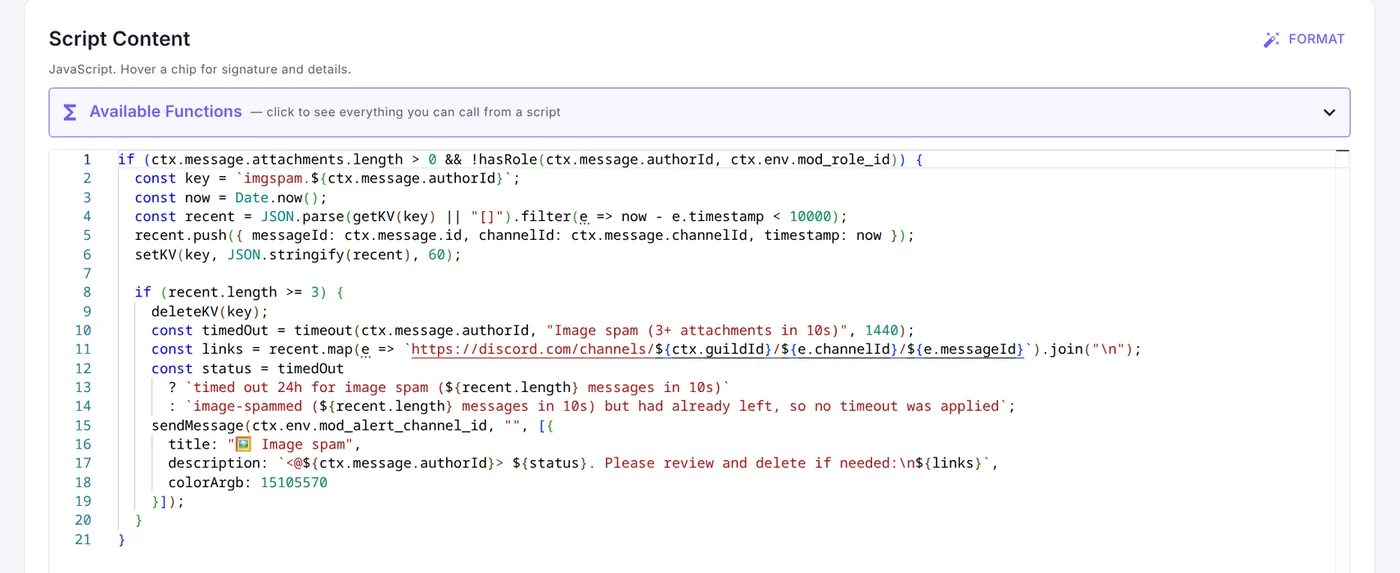
A real editor, not a text box
Monaco with syntax highlighting and autocomplete against the same API the docs describe. Save and it is live, with no deploy step.
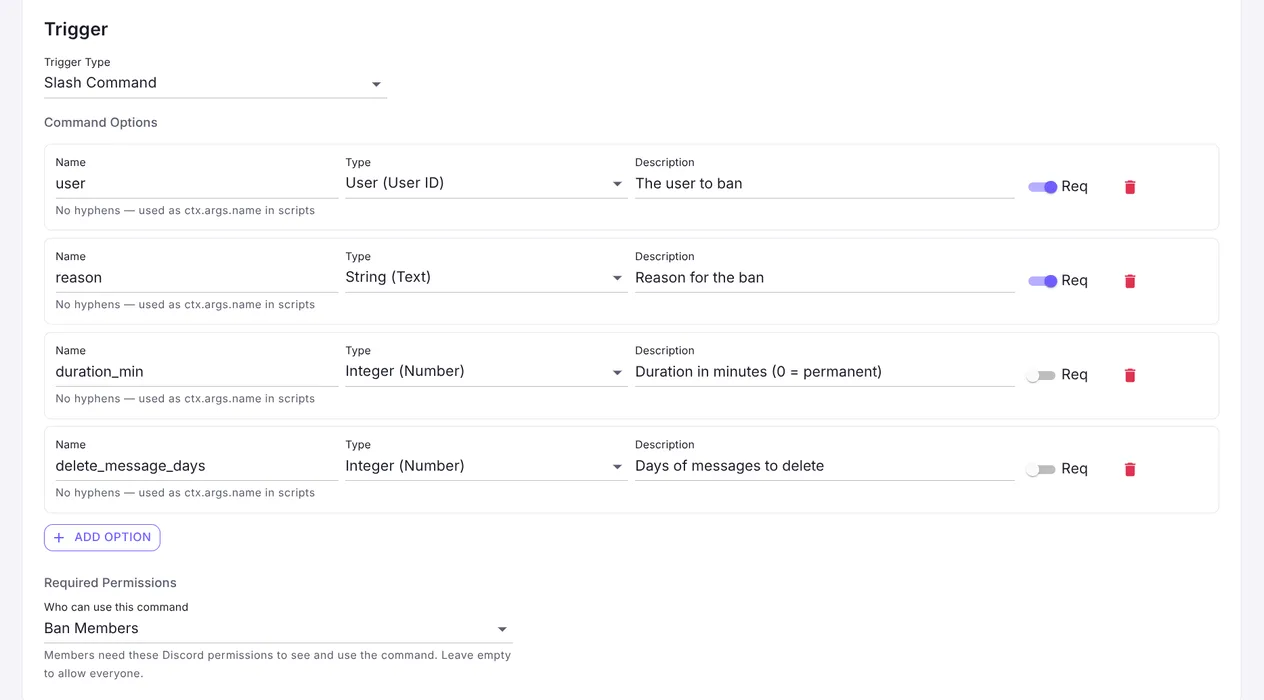
Slash commands you define
Typed options, required flags, and the Discord permission a member needs to see the command. Mallard registers it with Discord for you.
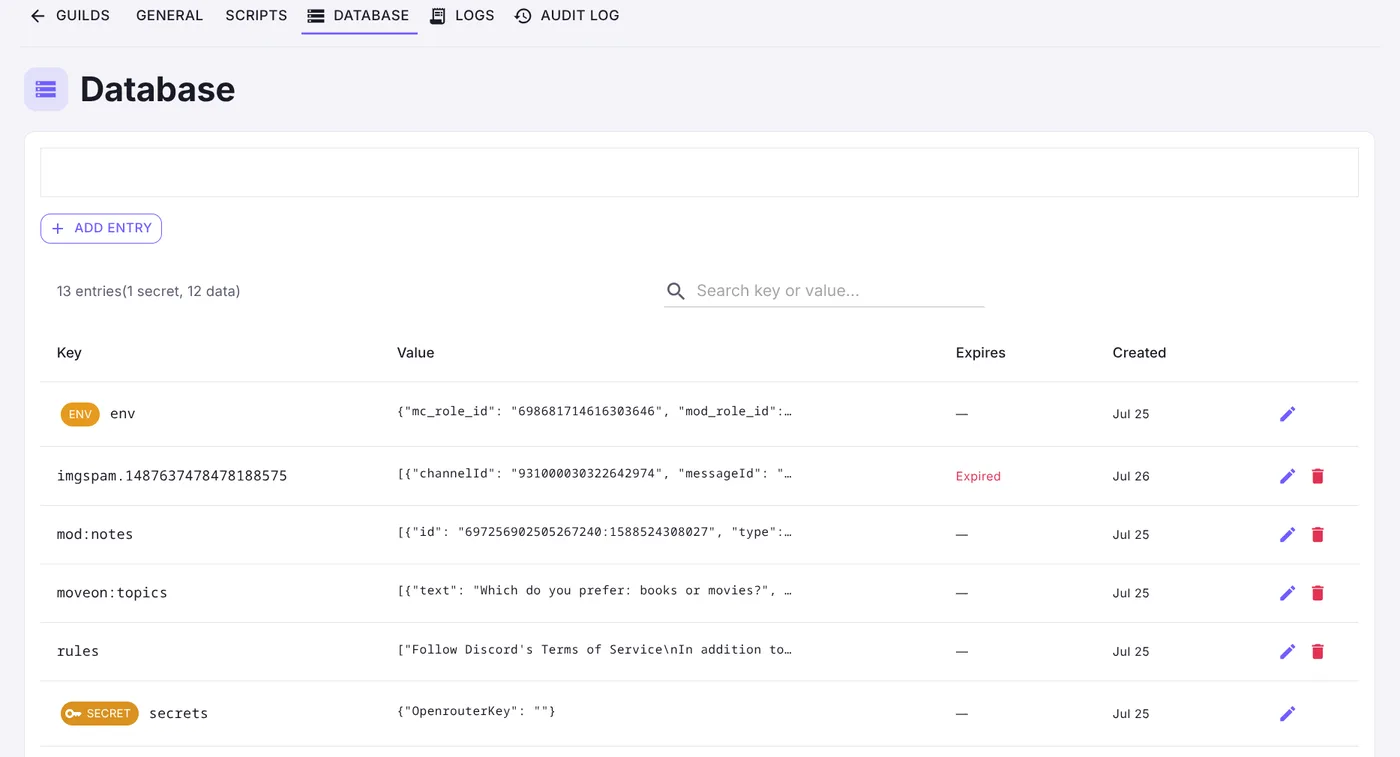
Storage your scripts share
A per-guild key-value store your scripts read and write, plus env values and write-only secrets, all editable from the dashboard.
What a script looks like
Plain JavaScript against a small API. Discord actions, an HTTP client, per-guild storage, and secrets your moderators never see.
Catch image-spam automatically
// Times out repeat image-posters for mods to review — no command needed
const key = `imgspam.${ctx.message.authorId}`;
const recent = JSON.parse(getKV(key) || "[]")
    .filter(e => Date.now() - e.timestamp < 10000);
recent.push({ messageId: ctx.message.id, timestamp: Date.now() });
setKV(key, JSON.stringify(recent), 60);

if (recent.length >= 3 && ctx.message.attachments.length > 0) {
    timeout(ctx.message.authorId, "Image spam", 1440);
    sendMessage(ctx.env.mod_alert_channel_id, "🖼️ Timed out for image spam — please review.");
}Call an AI without leaking your key
// ctx.secret.* are opaque {{secret:NAME}} tokens — the real key is
// injected only inside fetch(), never visible to the script (or your mods)
const chat = getMessages(ctx.channelId, 100).reverse()
    .map(function (m) { return m.authorDisplayName + ": " + m.content; })
    .join("\n");

const res = fetch("https://openrouter.ai/api/v1/chat/completions", JSON.stringify({
    method: "POST",
    headers: {
        authorization: "Bearer " + ctx.secret.OpenrouterKey,
        "content-type": "application/json"
    },
    body: JSON.stringify({
        model: "google/gemini-3.1-flash-lite",
        messages: [{ role: "user", content: "Summarize this chat:\n" + chat }]
    })
}));
editResponse(JSON.parse(res.body).choices[0].message.content);Announce when you go live
// Twitch events arrive as triggers just like Discord ones
if (ctx.env.twitch_announce_channel_id) {
    sendMessage(ctx.env.twitch_announce_channel_id, "", [{
        title: "🔴 Live now: " + ctx.twitch.title,
        description: "Playing " + ctx.twitch.category
            + " — twitch.tv/" + ctx.twitch.broadcasterLogin
    }]);
}Start with what you already need
Install it, use the commands it comes with, and change them when they get in your way. If you would rather see the whole API first, the docs cover every trigger and function.
Questions, or want to see what other servers are running? The support server has a scripts hub.